Scene Limits
There are several limits that GB Studio has put in place to keep game performance consistent, and to minimize visual issues.
Each scene can have a maximum of 20 actors, and 30 triggers, and between 192 and 64 sprite tiles depending on project settings and the complexity of the background used. You can check this information by selecting a scene and looking for the gray bar under your scene that reads:
A: 0/20 S: 0/96 T: 0/30
The letters on this bar represent the following:
A:represents the number of actors that the scene is using.S:represents the number of unique sprite tiles that each actor is using in their sprite sheet.T:represents the number of triggers that the scene is using.
Actor Limits
Each scene can have a maximum of 20 actors. Ideally, there should never be more than 10 actors within a 20 x 18 tile boundary, equivalent to 160px x 144px. Clustering more than 10 actors together in a scene will cause some actors to become invisible in-game. GB Studio will warn you if it thinks this will be the case for a scene:
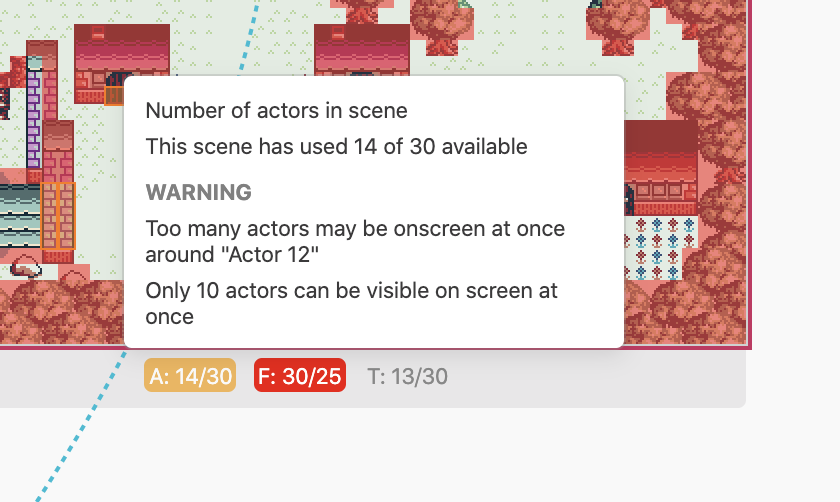
You can address this message by moving or deleting actors so no more than 10 will be seen in a 20 x 18 tile boundary. You can use the Eraser Tool to delete actors. Actors will still become invisible if more than 10 actors move into the screenspace after the scene starts.
Trigger Limits
Each scene can have a maximum of 30 triggers. You can use the Eraser Tool to delete triggers.
Background and Sprite Tile Limits
The memory limits for background and sprite tiles depend on whether your game's color mode is set to Color Only. In Color Only mode, approximately twice the amount of memory is available for tile data, but the game will not run on non-color devices. You can set the color mode from the Settings section.
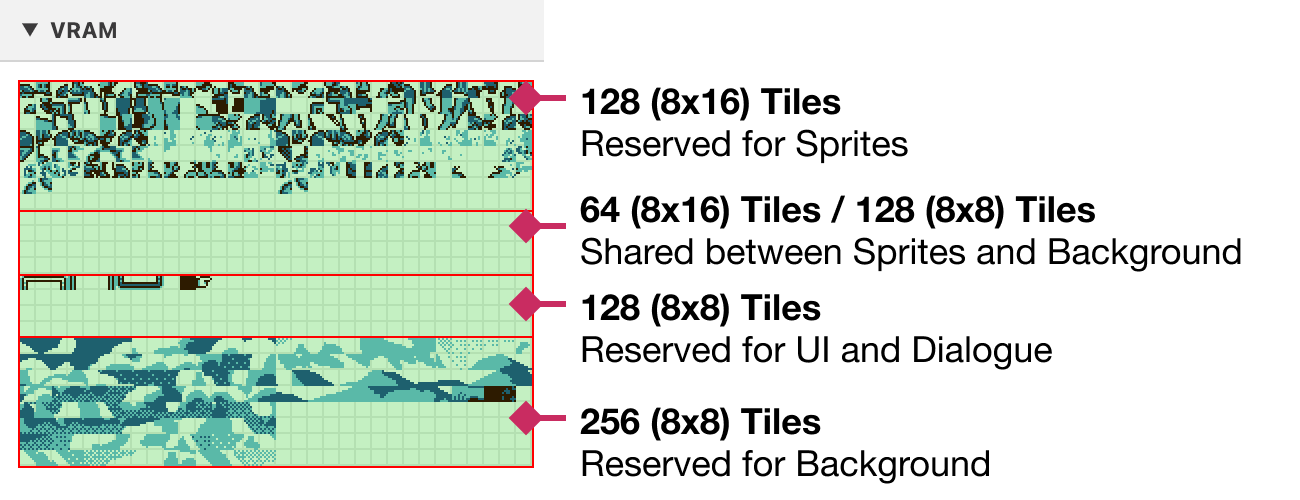
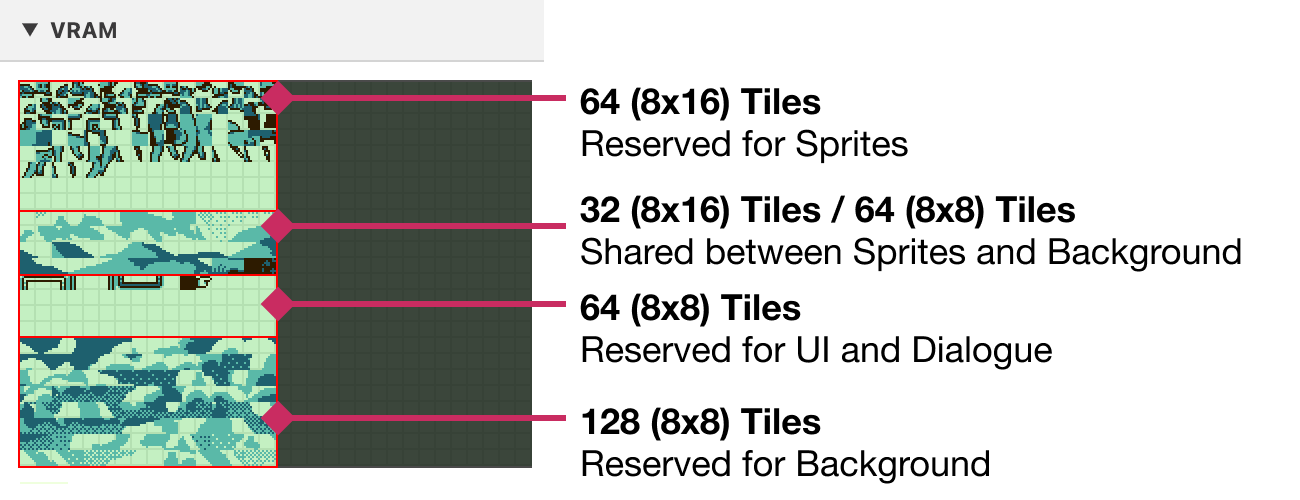
You can use the VRAM panel in the Debugger to get a visual representation of how tiles are being used in each scene in your game.
"Monochrome" and "Color + Monochrome" Games
When your game's color mode is set to either Monochrome or Color + Monochrome the following limits will be used:
- 64 Tiles reserved for Sprites
- 128 Tiles reserved for Background
- 64 Tiles reserved for UI
- 64 Tiles shared between Sprites and Background. The more complex your background is, the less tiles will be available for use by sprites. Note that as sprites use 8x16 sized tiles this shared area is shown as 32 sprite tiles.
If your background uses 128 tiles or fewer, you can use up to 96 sprite tiles (64 reserved + 32 shared). However, if your background uses all 192 tiles, you will only be able to use 64 sprite tiles.
"Color Only" Games
When your game's color mode is set to either Color Only, the following increased limits will be used:
- 128 Tiles reserved for Sprites
- 256 Tiles reserved for Background
- 128 Tiles reserved for UI
- 128 Tiles shared between Sprites and Background. The more complex your background is, the less tiles will be available for use by sprites. Note that as sprites use 8x16 sized tiles this shared area is shown as 64 sprite tiles.
If your background uses 256 tiles or fewer, you can use up to 192 sprite tiles (128 reserved + 64 shared). However, if your background uses all 384 tiles, you will only be able to use 128 sprite tiles.